A Comprehensive Guide to Long-Term Claude Usage: The Truth About New Policies, KYC Verification, Account Maintenance, Appeals, and Refunds #
I. Dispelling Anxiety: What Exactly Changed in the New Regulations on November 12? #
Recent online discussions have characterized the new Claude policy—effective November 12—as the “strictest-ever wave of account bans.” However, a word-for-word comparison of the current “Supported Regions Policy” (the “whitelist”) on the official website against the version from May 12 and an archived web snapshot from October reveals that the policy text and the list of over 180 supported countries and regions remain entirely unchanged. Mainland China, Hong Kong, and Macau continue to be excluded, while Taiwan and Singapore remain on the list.
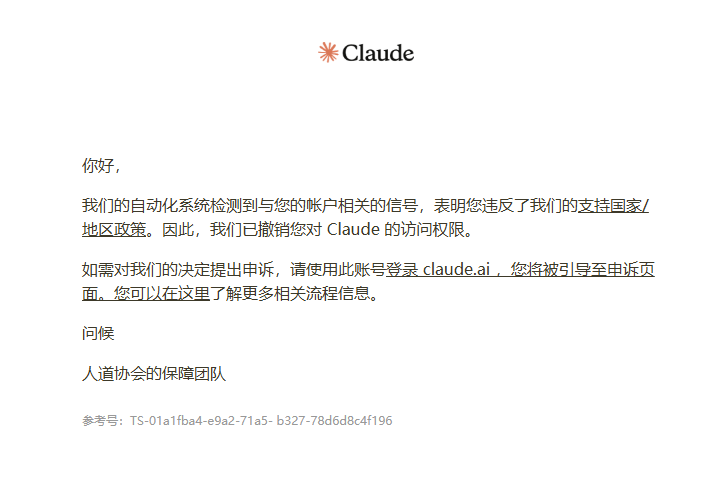
The three “red lines” regarding unsupported regions have actually been in place since May; they were not newly introduced in November:
- Individual Location: Being physically present in an unsupported region is considered a violation, even if a VPN or proxy (an “overseas node”) is used.
- Corporate Affiliation: Companies registered or headquartered in an unsupported region are prohibited from using Claude for business purposes, even if their employees are located abroad.
- Ownership/Control: Companies registered overseas are also restricted if the majority of their shares are held or controlled by individuals or entities based in an unsupported region.
The Real Tightening: Updates to the “Usage Policy” #
The new terms introduced on November 12 appear in a separate document, the “Usage Policy,” under the section “Do Not Abuse Our Platform.” These updates do not target legitimate, individual paying users; rather, they specifically take aim at account resellers, operators using fraudulent payment methods (“black cards”), and intermediaries managing large pools of accounts:
- Crackdown on Multiple Accounts: Explicitly categorizes the creation of multiple accounts to evade detection as a violation.
- Prohibition of Bypassing Procedures: Adds a clause prohibiting the circumvention of official registration or login processes.
- Strict Measures Against Payment Fraud: Bans the use of stolen, fraudulent, or unauthorized payment methods. Previously, some resellers exploited a timing gap in the authorization process between Apple and Claude to resell a single subscription to multiple users—a practice that has now become extremely high-risk.
- Targeting Account Intermediaries: Specifically prohibits the practice of taking consumer subscriptions (such as bulk-purchased Pro memberships) and repurposing them as API access for resale. Furthermore, the policy expands the scope of regional restrictions to include any proxy services that facilitate access for end-users in unsupported regions.
In reports released in February and October, the company disclosed that a domestic large-language-model (LLM) firm had used approximately 24,000 fake accounts to “distill” (extract) model capabilities on a massive scale. Additionally, underground networks have been found to control hundreds of thousands of fake accounts and compromised payment credentials—developments that served as the direct catalyst for these new regulations. For users utilizing an intermediary service (proxy/relay), we strongly recommend a “top-up as you go” approach—do not keep large balances on the platform.
New Policy: Prohibition Against “Abusing the Model”: The updated terms include an intriguing new rule that prohibits “prolonged, gratuitous abuse of the model.” The platform has clarified that venting frustration, talking back, or generating dark-themed content during routine use does not constitute a violation. This provision is intended solely for extreme cases involving repetitive, purposeless mistreatment of the model; in such instances, the primary enforcement action is simply for Claude to proactively terminate the conversation.
II. The Real Challenge for Average Users: Navigating KYC with a Chinese Passport #
For typical users, the most significant hurdle is the KYC (Know Your Customer/identity verification) process, which the platform has been rolling out more broadly since August. This may be triggered when accessing specific features or during routine platform audits.
Step-by-Step Verification Process (Approx. 3 minutes total) #
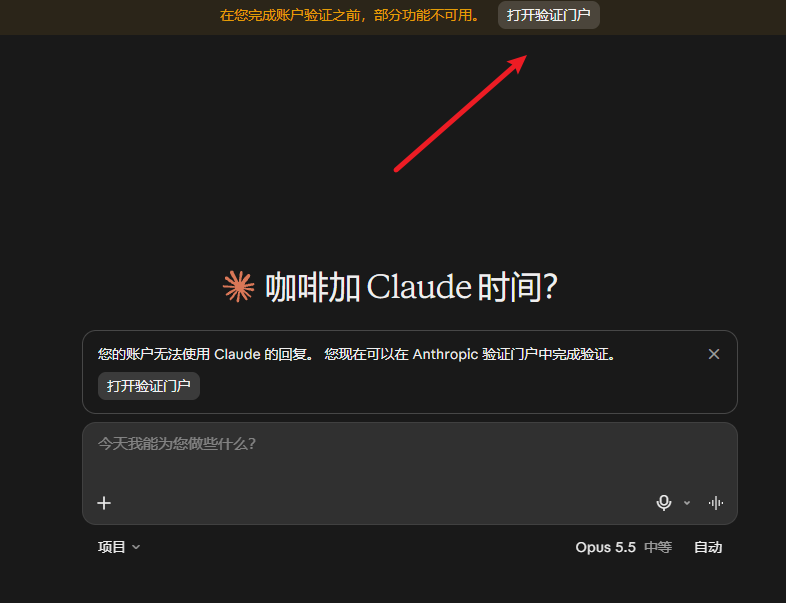
- Trigger and Access Point: If the chat interface indicates that your account is temporarily unable to receive responses, follow the prompt to access the verification portal and log in using your existing Google account.
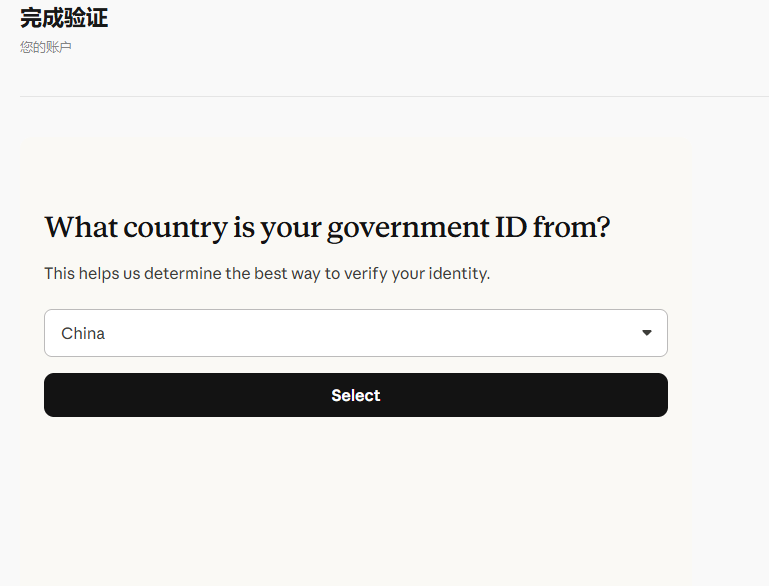
- Select the country that issued your document: The system will ask for the country that issued your document (note that this refers to the issuing country, not your current location). If you are using a Chinese passport, please select “China.”
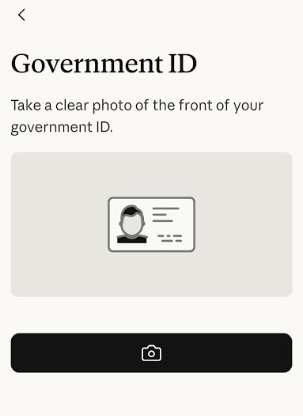
- Mobile QR Code Verification: Scan the QR code displayed on your computer screen using your mobile phone. On your phone, select your country and “Passport,” take a complete photo of the physical passport page containing your personal information and photograph, and then record and upload a short selfie video.
- Resuming Use: Once the system has finished processing and provides a completion notification, return to your computer and click “Done.” You can then resume normal conversations by sending a new message.
ID Requirements and Common Pitfalls #
- Original Physical Passports Only: The official requirement is an original, government-issued, photo-bearing identification document. Photocopies, screenshots, photographs of documents, digital IDs, and student IDs are not accepted. Based on practical testing, users from mainland China must use a passport; national ID cards will not be accepted.
- What to Do If Verification Fails: Most failures are due to blurry photos or insufficient lighting; try again in a well-lit environment. It is best to avoid submitting official help forms, as this may trigger additional manual reviews.
- Passing KYC Is Not a “Get Out of Jail Free” Card: KYC only verifies that the account is being used by its rightful owner; regional whitelist policies still apply. Regardless of whether you use a Chinese passport or have a foreign national complete the verification for you, your account could still be banned—though accounts verified with a Chinese passport face a relatively higher risk of scrutiny and suspension.
III. “Account Nurturing” Strategies After Passing KYC with a Chinese Passport #
If you have completed KYC verification using a Chinese passport, consider the following five practices to minimize the risk of your account being banned:
- Delay Purchasing a Subscription: Do not subscribe immediately after passing KYC; wait at least one month before making any payments.
- Maintain Consistent Activity: During this observation period, engage in a normal conversation with Claude at least once every two days. You may use Chinese for your interactions—there is no need to force the use of English.
- Keep Your IP Location Stable: Ensure your proxy node remains consistent—ideally locked to the same country and the same city. Frequent jumps between countries or cities (e.g., switching from Los Angeles to New York within a month) are highly likely to be flagged by risk-control systems as suspicious proxy usage.
- Enable TUN Mode Throughout: Keep your proxy software set to “Global” or “TUN” mode at all times. This prevents any web pages or background requests from leaking your actual local network address in China. 5. Change your environment if an account is banned immediately: If an account is banned right after passing KYC, it indicates that your current network node environment is of very poor quality; you must switch to a “clean” (reliable/untainted) node.
Recommended VPN/Proxy Services (“Airports”)
- The services listed below operate on a pay-per-data (usage-based) model; their websites include tutorials on how to install and use the necessary software.
- Once you purchase a data allowance, there is no time limit—you can use it until the data runs out.
- If a website is inaccessible, it means it has been blocked (by the Great Firewall); simply switch to a different service provider.
| 名 称 | 价 格 | 流 量 | 节点数 |
|---|---|---|---|
| 魔戒 | 1元 | 1G | 30个 |
| 网际快车 | 7元 | 20G | 54个 |
| 牛逼 | 14元 | 200G | 31个 |
| 飞鸟 | 10元 | 200G | 25个 |
| happy猫 | 20元 | 200G | 27个 |
| 农夫山泉 | 45元 | 200G | 40个 |
| 宝贝云 | 55元 | 600G | 64个 |
| 自由猫 | 8元 | 50G | 95个 |
| fscloud | 年14元 | 月100G | 30个 |
| 冲上云霄 | 7元/月 | 50G | 28个 |
IV. Guide to Appealing an Account Ban #
According to official transparency reports, over 11 million accounts were banned in the first half of this year. Approximately 400,000 users filed appeals, with over 40,000 accounts successfully reinstated—a success rate of about 10%, which marks a significant improvement over the ~3% success rate seen in the second half of last year.
If your account is banned, please follow these steps:
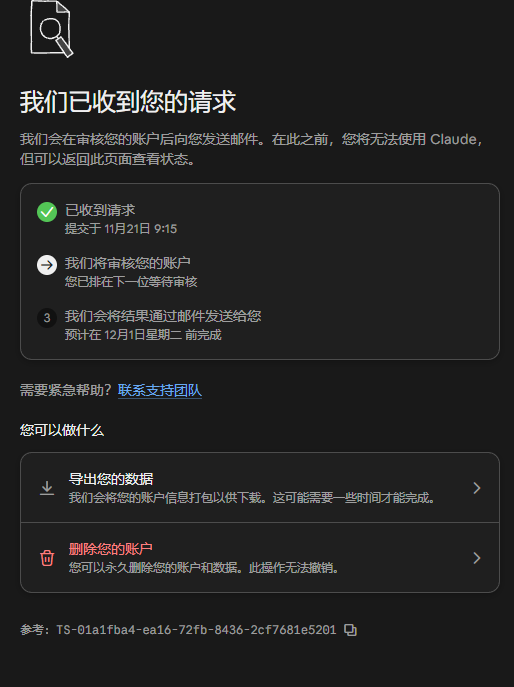
- Export your data immediately: You can still log in to a banned account; do not rush to delete the account or uninstall the software. First, export and back up all your important chat history.
- Submit an appeal through official channels: You can click the appeal button on the page that displays your ban status, or complete the official appeal form.
- Provide a clear, concise statement in English: Although the comment section on the form is optional, you should fill it out using brief, clear English. Include the following details: the email address associated with the account, the date of the ban, how you typically use the account, and the legitimate payment methods you have employed. Also, explicitly state that you have not shared or sold the account and that you are willing to cooperate with identity verification.
- Do not create a new account while waiting: Once you have submitted an appeal, wait patiently for the outcome. Official policy strictly prohibits using a new account to circumvent a ban; creating one while your appeal is under review will effectively eliminate any chance of having your original account reinstated. If you urgently need a backup account, ensure that you use an entirely different network and device environment.
 #
V. How to Obtain a Refund After a Failed Appeal? A Comparison of Payment Channels #
If your appeal is unsuccessful, the possibility of recovering your subscription fees depends largely on the original payment method used:
| Payment Method | Refund Success Rate | Rules and Practical Tips |
|---|---|---|
| Apple In-App Purchase (App Store) | Highest (Highly Recommended) | Refunds are governed by Apple Store policies; Claude’s customer support has no authority here. Typically, refunds are prorated based on the number of unused days. |
| Google Play Store | Relatively High | Requires submitting a support request along with relevant documentation. A decision is usually provided via email within 4 business days. |
| Direct Credit/Debit Card (Official Website) | Extremely Low (Virtually Impossible) | The official Terms of Service explicitly state that no refunds are provided for subscriptions terminated due to policy violations. |
1. Refund Process for Apple In-App Purchases (Recommended Subscription Channel) #
Log in to the official Apple refund request page → Select the “Need help?” option, then choose “Request a refund” → Select “Other” as the sub-category → Check the Claude subscription order → Provide a brief explanation in English stating that you purchased the service but are unable to use it because your account was banned by the provider, then submit.
- Note: Generally, Apple will only approve a refund request for a Claude subscription once per Apple ID. If you plan to resubscribe in the future, be sure to use a different Apple ID. (It is recommended to use a U.S.-based Apple ID and fund it with gift cards—this provides you with a safety net.)
2. Refund Process for Google Play #
Visit the official Google Play website → Click your profile icon in the top-right corner and go to “Payments & subscriptions” → Select “Budget & history” → Locate your Claude order and click “Report a problem” next to it. * Key Points for Submission: Select “Product features do not match advertising” or “Item not received” as the issue category. In English, state your subscription date, the date you received the permanent account ban notification, and the fact that you are unable to use the service; then, request a full refund. Additionally, attach a screenshot of your payment/order confirmation (clearly showing the order number and date) and a screenshot of the email notifying you of the account ban.
3. A Strict Taboo: Do Not Initiate a Bank Chargeback #
Never attempt to force a refund by initiating a chargeback through your bank. The service provider will not process any refund requests while a chargeback dispute is active; not only is it highly unlikely that you will recover your money, but it will also leave your account in a state where the situation becomes impossible to resolve.